Quick Start: Users and Organizations
Within Domain Trust, there are two key concepts: Users and Organizations.
Users are grouped under an Organization.
When your Organization joins the Domain Trust ecosystem they will either be assigned Member or Trial status.
Trial (testing environment) users are not able to invite additional users, and can only interact with the testing environment.
All regular users within an Organization can invite additional users to join.
By default, each Organization is limited to three users.
This is a soft limit and can be increased upon request by contacting the Domain Trust team.
Inviting Users to your Organization
The Users page in the Web Interface displays all users within your organization in a clear, easy-to-read table.
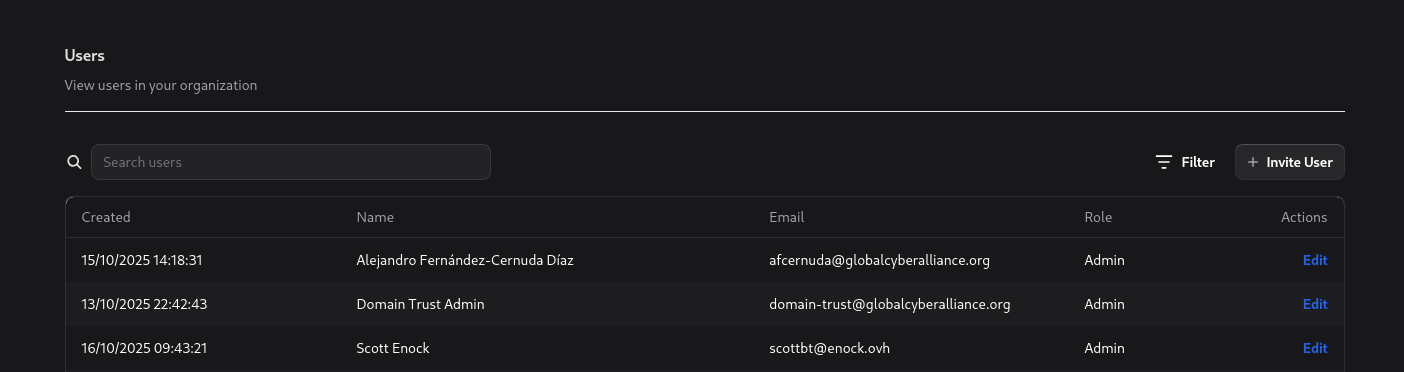
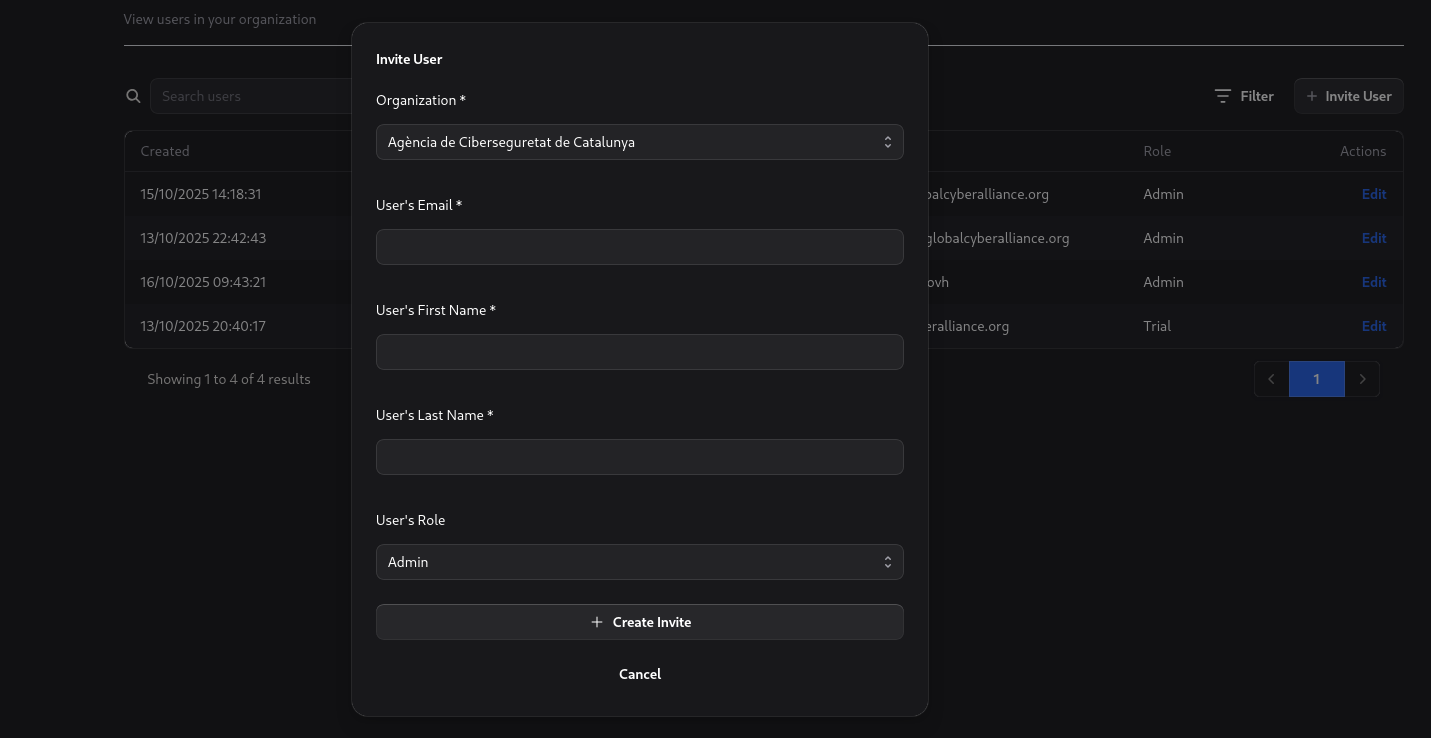
To invite a new user, click the Create Invite button in the top-right corner of the screen.
Once the invite is created, an email containing an invitation link will be sent to the specified user’s email address.
Inviting Users to your Organization via the API
Use the following example to create a user invite via the API:
curl -X POST "https://domain-trust.globalcyberalliance.org/api/invites" \
-H "Authorization: Bearer YOUR_API_TOKEN" \
-H "Content-Type: application/json" \
-d '{
  "invite": {
    "userEmail": "newuser@example.com",
    "userFirstName": "Jane",
    "userLastName": "Doe",
    "userOrganizationID": "org_12345",
    "userRole": "member"
  }
}'
Example Response:
{
  "invite": {
    "id": "inv_67890",
    "token": "abcdef123456",
    "userEmail": "newuser@example.com",
    "userFirstName": "Jane",
    "userLastName": "Doe",
    "userOrganizationID": "org_12345",
    "userRole": "member",
    "created": "2025-10-16T14:22:00Z"
  }
}