Quick Start: Submit a Domain
This guide shows you how to submit a domain to Domain Trust for rating in both the API and UI.
Prerequisites
Submit a Domain
Submit a single domain using a POST request to the /domains endpoint:
curl -X POST "https://domain-trust.globalcyberalliance.org/api/domains" \
-H "Authorization: Bearer YOUR_API_TOKEN" \
-H "Content-Type: application/json" \
-d '{
  "domains": [{
    "domain": "example.com",
    "activity": "phishing",
    "classification": "malicious",
    "source": "manual-report",
    "sourceName": "Security Team",
    "comments": "Reported phishing site targeting users",
    "dateIdentified": "2025-10-15"
  }]
}'
Required Fields
domain- The domain name to submitactivity- Type of malicious activityclassification- Domain classificationsource- Source of the report
Optional Fields
abuseType- Type of abuse detectedcomments- Additional contextdateIdentified- When the domain was identified (YYYY-MM-DD)registrationDate- Domain registration datereportType- Type of reportsourceName- Name of the reporting sourceurls- Array of specific URLs associated with the domain
Example Submitting Multiple Domains
The /domains API takes in an array of domain objects. This allows you to submit multiple domains in a single request:
curl -X POST "https://domain-trust.globalcyberalliance.org/api/domains" \
-H "Authorization: Bearer YOUR_API_TOKEN" \
-H "Content-Type: application/json" \
-d '{
  "domains": [
    {
      "domain": "malicious-site.com",
      "activity": "malware",
      "classification": "malicious",
      "source": "security-scan",
      "urls": [
        "https://malicious-site.com/download",
        "https://malicious-site.com/install"
      ]
    },
    {
      "domain": "malicious-site-2.com",
      "activity": "malware",
      "classification": "malicious",
      "source": "security-scan",
      "urls": []
    }
  ]
}'
Submit a Domain Using the Web Interface
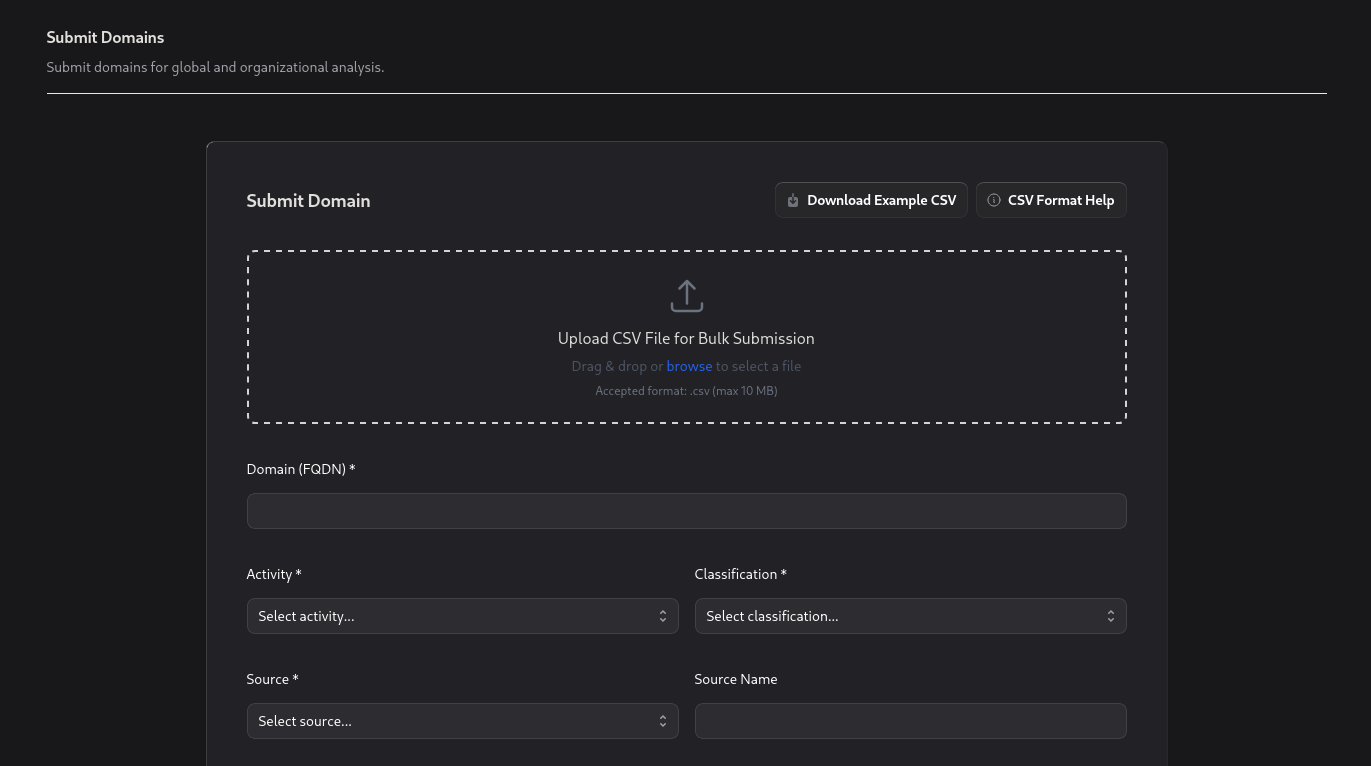
You can submit individual domains directly through the Domain Trust web interface.
- Log into Domain Trust
- Select Domains from the sidebar
- Click Submit Domains in the top right
- Fill out the domain submission form
Submit multiple domains
The Web Interface also allows users to submit domains in bulk using a CSV upload.
- Select Domains from the sidebar
- Click Submit Domains in the top right
- Click "Upload CSV File for Bulk Submission"
- A file browser will appear where you can select the CSV file you wish to upload
CSV Taxonomy
| Column | Format / Values | Required |
|---|---|---|
| abuseType | "botnets" , "malware" , "pharming" , "phishing" , "spam" or leave blank | Optional |
| activity | "active" , "suspended" , "non-existent" , "taken-down" , "blocked" | ✅ Yes |
| classification | "definitely-malicious" , "probably-malicious" , "possibly-malicious" , "definitely-clean" | ✅ Yes |
| comments | Descriptive text about the domain | Optional |
| dateIdentified | RFC 3339 date-time, e.g. 2025-08-11T14:30:00Z | Optional |
| domain | example.com | ✅ Yes |
| registrationDate | Domain registration date with registrar (RFC 3339 date-time) or leave blank | Optional |
| reportType | "brand-spoof" , "fraud" | Optional |
| source | "self-reported" , "external-reported" | ✅ Yes |
| sourceName | Name of the source reporting this data | Optional |
| urls | One or more URLs separated by semicolons (;) or leave blank | Optional |