Quick Start: View Domain Submissions
This guide shows you how to view domain submissions in both the API and the Domain Trust web interface.
Prerequisites
View Submitted Domains
You can view all submitted domains using a GET request to the /domains endpoint:
curl -X GET "https://domain-trust.globalcyberalliance.org/api/domains?limit=100" \
-H "Authorization: Bearer YOUR_API_TOKEN"
Example Response:
{
  "domains": [
    {
      "id": "12345",
      "domain": "example.com",
      "activity": "phishing",
      "classification": "malicious",
      "abuseType": "phishing",
      "source": "manual-report",
      "sourceName": "Security Team",
      "comments": "Reported phishing site targeting users",
      "dateIdentified": "2025-10-15",
      "providerName": "Domain Provider Inc.",
      "providerRating": "high",
      "isBlocked": false,
      "urls": ["https://example.com/login", "https://example.com/reset"]
    }
  ]
}
Filtering Domain Results
You can filter results using query parameters with /domains.
| Parameter | Description |
|---|---|
| limit | Maximum number of results to return per request |
| orderAsc | Whether to sort results in ascending order (true/false) |
| pageToken | Token for pagination (used to fetch the next set of results) |
| organizationID | Filter by organization ID |
| createdAfter / createdBefore | Filter by creation timestamp (RFC 3339) |
| domain | Full domain to search for (e.g. sub.domain.tld) |
| rootDomain | Root domain (e.g. domain.tld) |
| subDomain | Subdomain component (e.g. sub) |
| sld | Second-level domain (e.g. domain) |
| tld | Top-level domain (e.g. com, net) |
| registrationDateAfter / registrationDateBefore | Filter by domain registration date |
| providerName | Filter by provider name |
| providerRating | Filter by provider confidence rating |
| providerRole | Filter by provider role (e.g. registry, registrar, reseller) |
| abuseType | Filter by abuse type (e.g. botnets, phishing, spam) |
| activity | Filter by activity status (e.g. active, blocked, taken-down) |
| classification | Filter by domain classification (e.g. possibly-malicious, definitely-clean) |
| dateIdentifiedAfter / dateIdentifiedBefore | Filter by identification date |
| onlyBlocked | Return only blocked domains (true) |
| onlyUnblocked | Return only unblocked domains (true) |
| reportType | Filter by report type (e.g. fraud, brand-spoof) |
| source | Filter by source (self-reported, external-reported) |
| urls | Filter by URLs associated with the domain |
Pagination using limit and pageToken
The /domains endpoint supports pagination through the limit and pageToken parameters.
- limit specifies how many domain records to return per request.
- pageToken is used to fetch the next “page” of results.
When you send a request with a limit, the response includes a nextPageToken value if additional results are available.
You can pass that token into the next request to retrieve the next set of domains.
For example:
curl "https://domain-trust.globalcyberalliance.org/api/domains?limit=3" \
-H "Authorization: Bearer YOUR_API_TOKEN"
If the response includes "nextPageToken": "NTY1NDc4MDQ=", you can use it like this:
curl "https://domain-trust.globalcyberalliance.org/api/domains?limit=3&pageToken=NTY1NDc4MDQ=" \
-H "Authorization: Bearer YOUR_API_TOKEN"
This process can be repeated until no further nextPageToken is returned, indicating that all available results have been retrieved.
Viewing Domains in the Web Interface
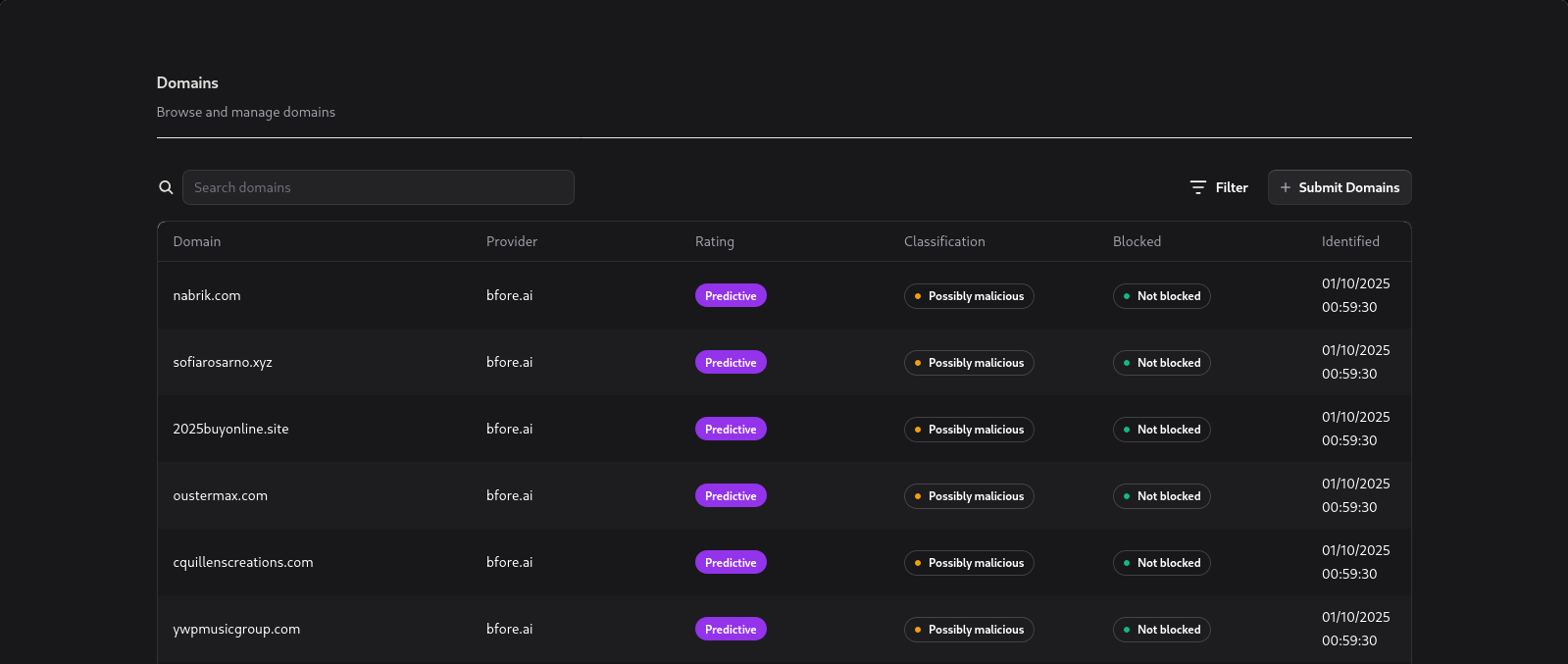
The Domains page in the Web Interface displays all returned domains in a clear, easy-to-read table.
It also provides powerful filtering options, allowing you to quickly narrow down results and find exactly what you need.
Domains Table
The main Domains table lists all detected domains along with key information such as domain name, classification, and other relevant details.
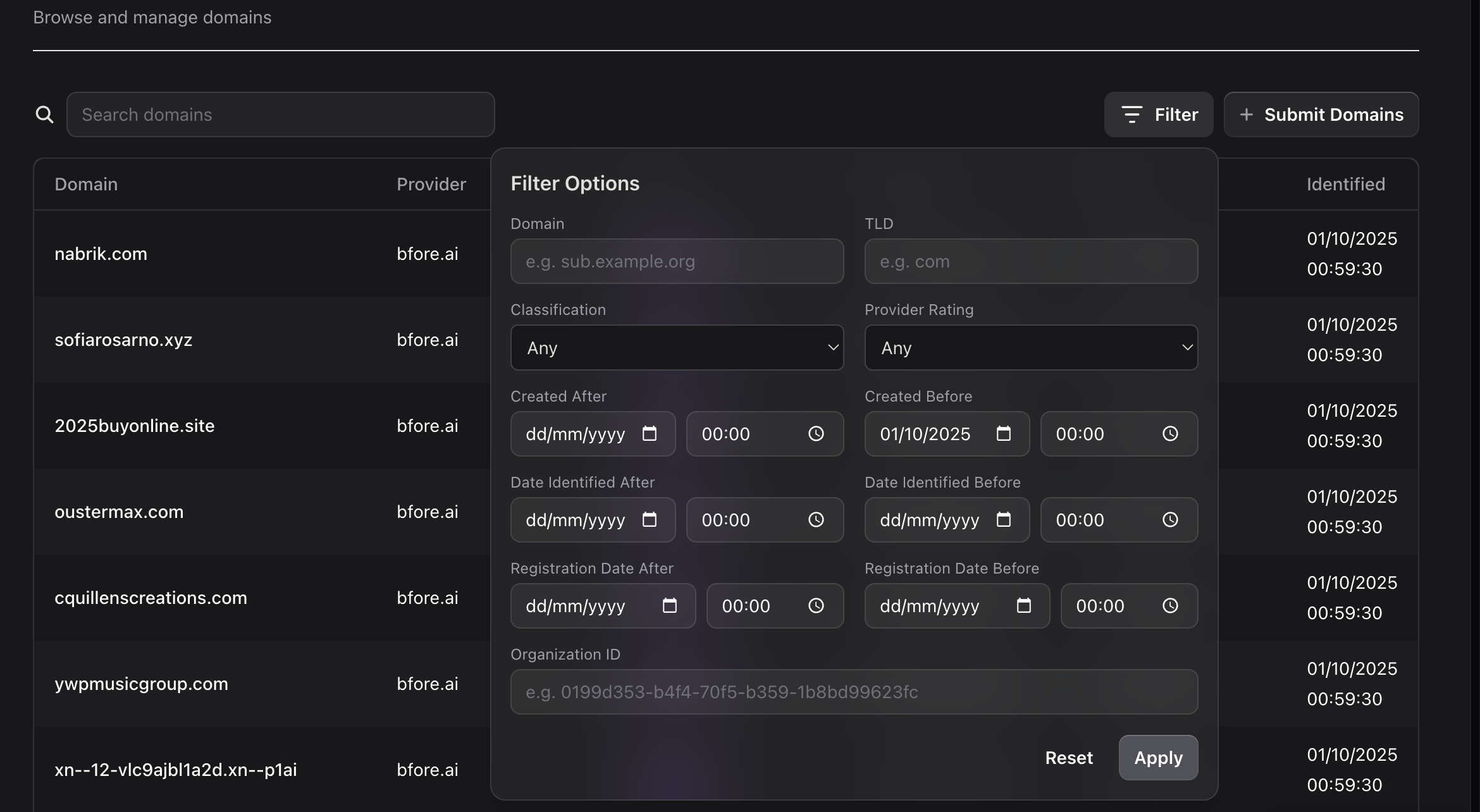
Filtering Domains
Use the Filter dropdown to refine your results by specific criteria — for example, by domain classification, date, or TLD.
Viewing Domain Details
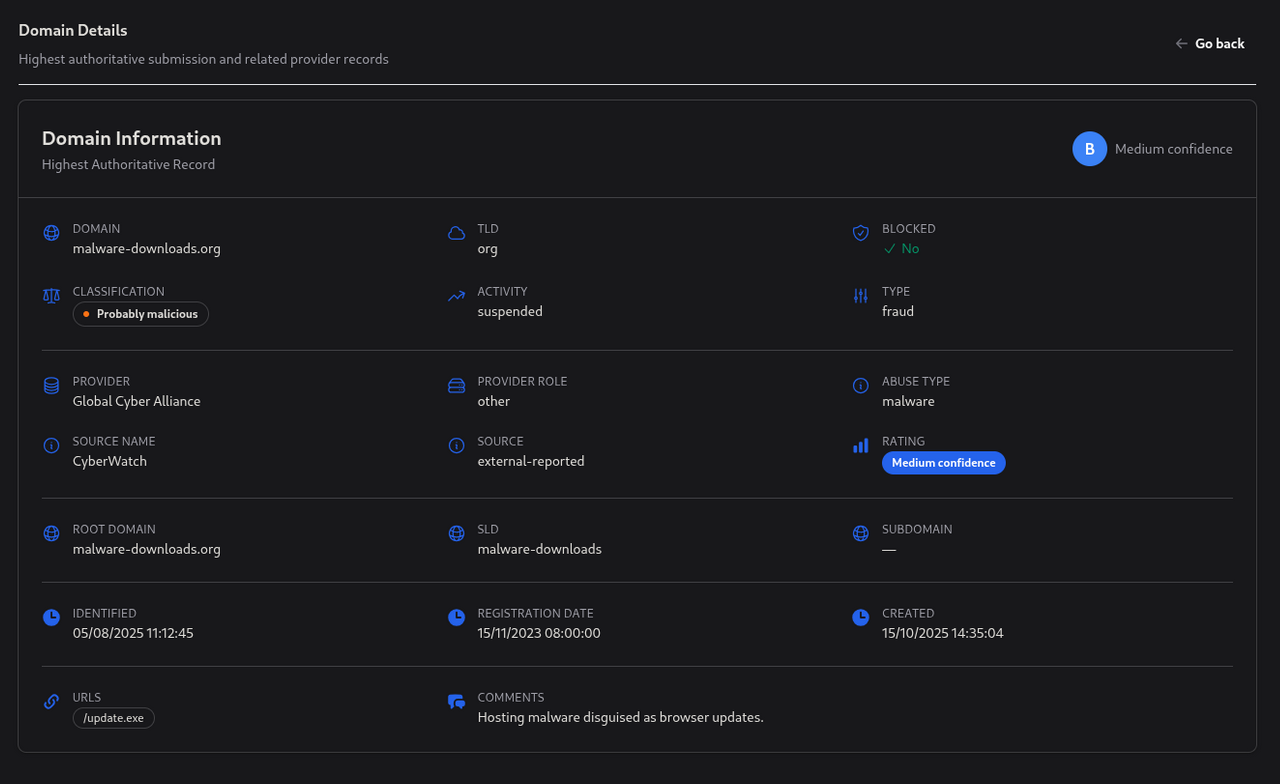
Clicking on a domain opens a detailed Domain Information view, showing additional metadata, activity, and related insights.